
AI agent development
AI agents that finish real work in your processes.
We start with your business process, decide which steps an agent takes over and build it for production, in your own cloud or on your own servers.
- Process first, then the model
- Your cloud or on-premise
- Human approval where it matters
- Order read from the mailbox
- Data extracted and checked against your rules
- Matching with the ERP
- Exception sent to a person for approval
- Order booked
Every step logged and traceable
Trusted by








The problem
A chatbot is not an agent.
It answers, it does not finish
A chat window on top of a model replies to questions. It does not complete a task.
Started with the model
Most agents fail because the project starts with the model instead of the process. More in why internal company chatbots fail.
No limits, no review
Without tools, scope, permissions and a person checking the result, nobody trusts the output.
How agents are built and run
Built, tested and run on FlowHive.ai.
1Build
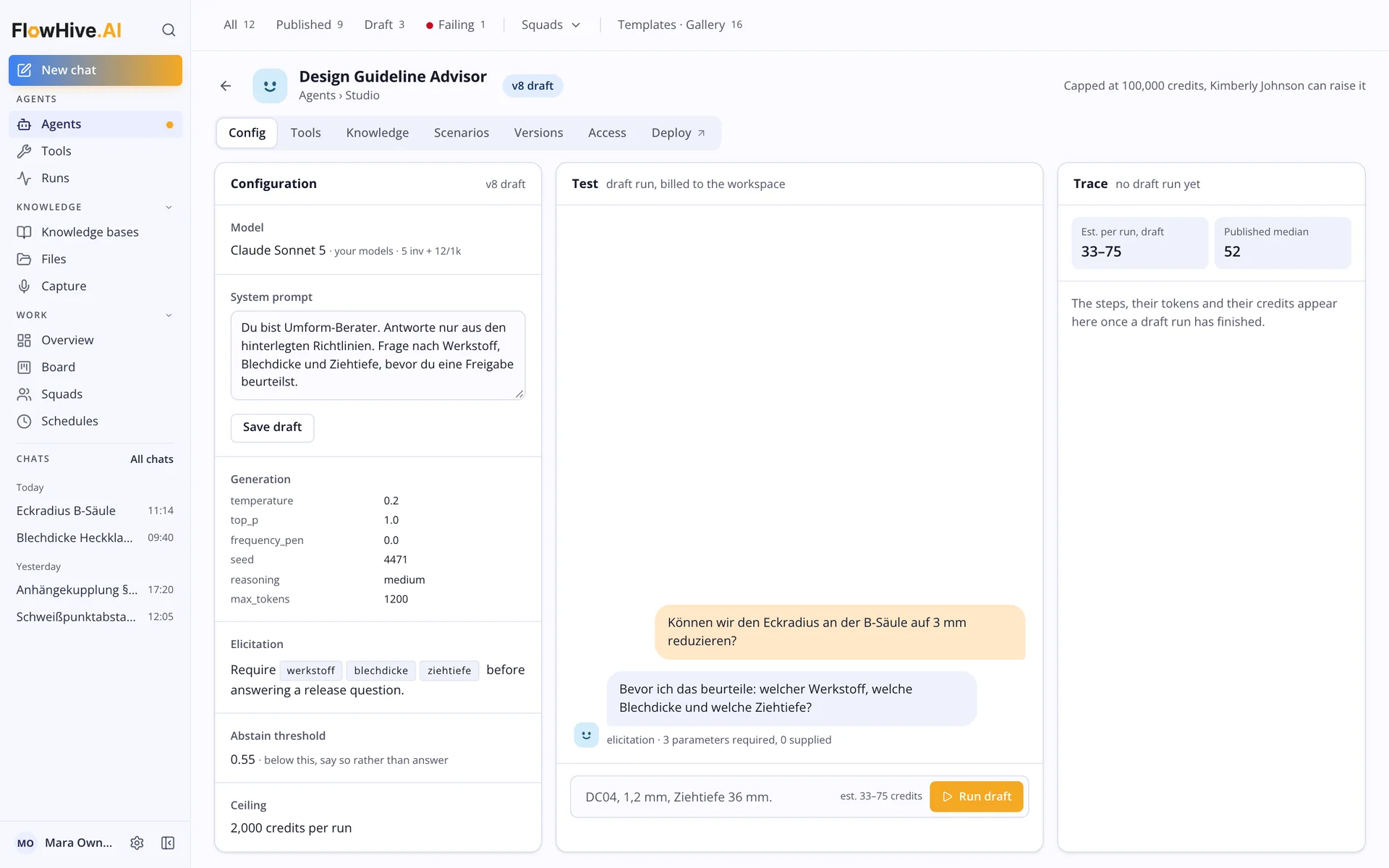
Every agent with clear instructions and limits.
Model, instructions, tools and knowledge are set per agent. Test runs show the answer before anything is published.
- Tools, knowledge and scenarios per agent
- Says so instead of guessing below a set threshold
- Cost ceiling per run
2Run
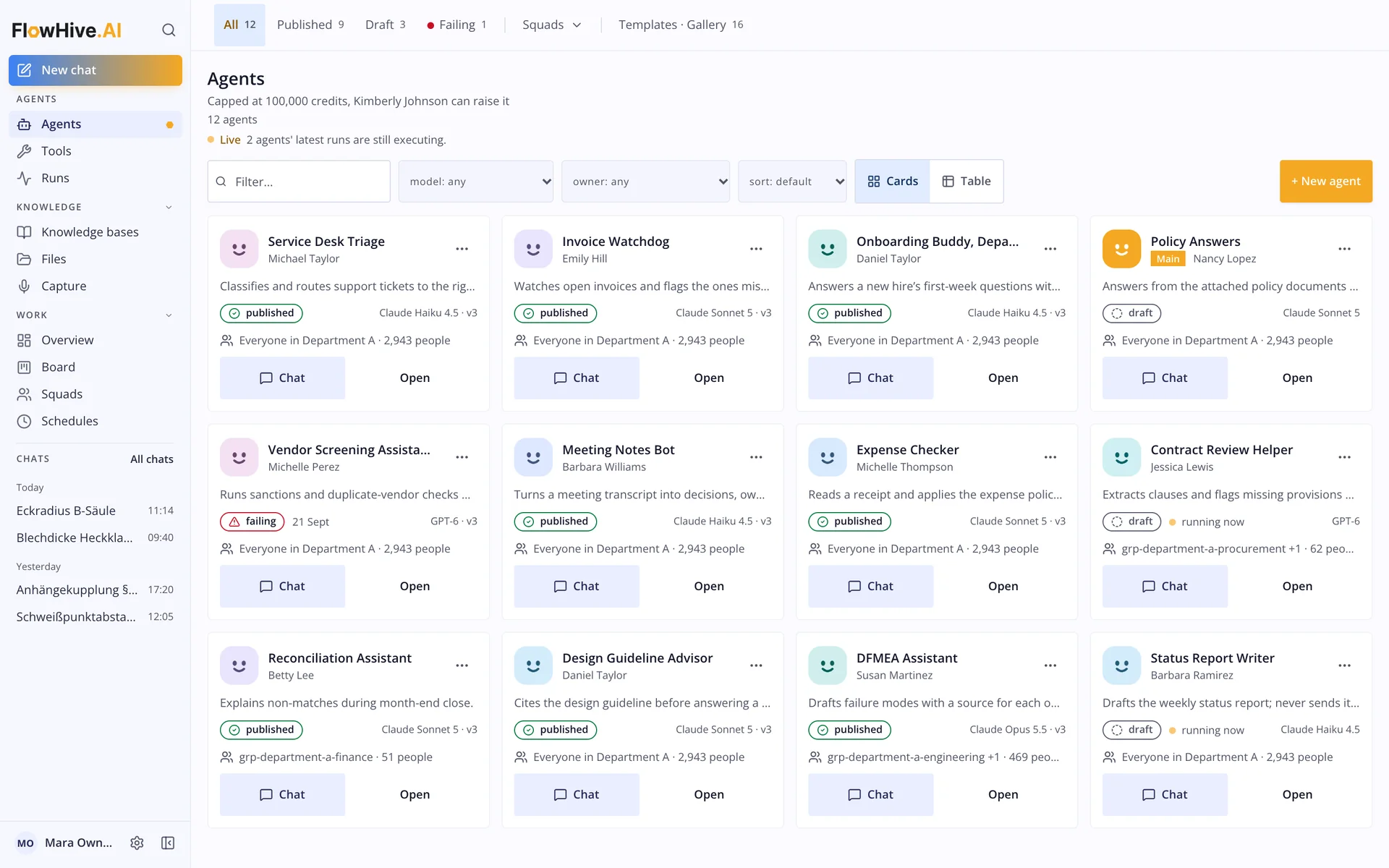
Many agents, one overview.
Published, draft and failing agents side by side, each with its owner, its model and who may use it.
- Status of every agent at a glance
- Versions you can roll back
- Access per group
3Review
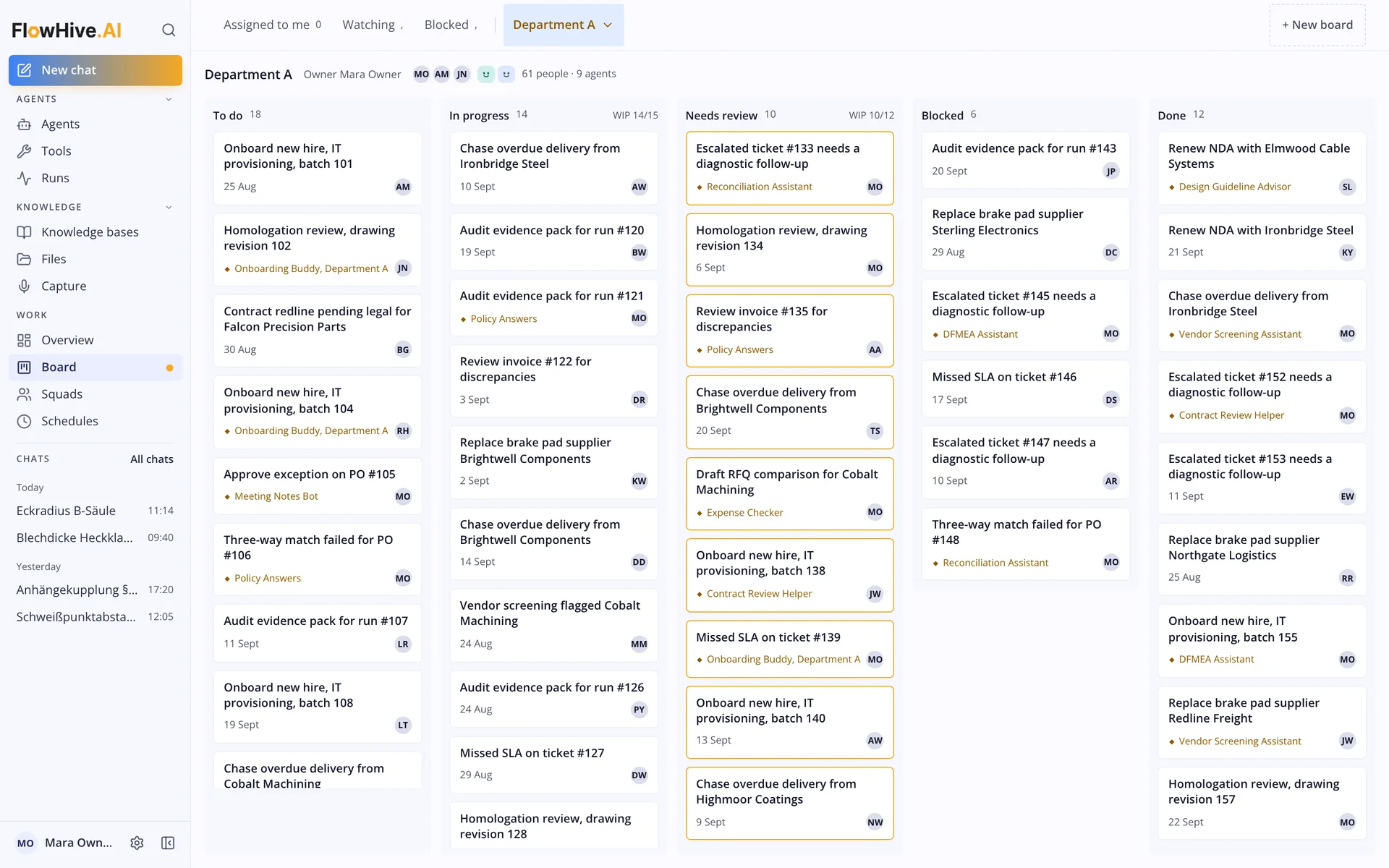
People and agents on one board.
Agents hand over work that needs a decision. People review it where the risk is high and see what is blocked.
- Needs-review column for agent results
- Owner on every task
- Work in progress limits
Use cases
Where agents take over work.
Document processing
Orders, contracts or claims read, extracted and checked against your rules. Exceptions go to a person.
Knowledge agents
Answers from your own documents and systems, with sources and the expert who reviewed them.
Sales and CRM work
Agents watch for buying signals, keep records current and prepare the next step, for example in Sigma CRM.
Support triage
Incoming requests sorted, an answer drafted and the case routed to the right team.
Multi-agent systems
Several agents with narrow jobs on one process, coordinated by an orchestration layer instead of one large prompt.
Internal tools
Agents that run reports, reconcile data between systems or prepare decisions on a schedule.
Why it works
Agents that run in production, not in a demo.
- Process first. We map the business process before we choose a model or a tool.
- Narrow jobs. One process split into steps is easier to test and control than one large agent.
- Measured. Quality is checked against cases your experts reviewed, before and after go-live.
Find the first process for an agent.
Book a 30-minute callDeployment
Your cloud or your own servers.
Agents often touch sensitive data. We deploy them where your data already lives, on FlowHive.ai, our AI agent platform that runs as a dedicated instance per company.
- Dedicated instance in your cloud tenant or on-premise
- Sign-in through your identity provider
- Permissions per group for agents, tools and knowledge
- Every agent action recorded
How we work
From process to production in four steps.
- 1
Map the process
With your experts we map activities, decisions and exceptions, and pick where an agent adds value.
- 2
Build a first agent
One agent for one use case, with tools, instructions and limits, tested on real cases.
- 3
Evaluate and harden
Quality measured against checked cases, weak spots fixed, human review where the risk is high.
- 4
Run and extend
The agent goes live in your environment, then we extend it to the next steps.
Frequently asked questions
What does AI agent development cost?
It depends on the process, the systems involved and the deployment. After a first conversation we propose a scoped first agent with a fixed price, so the cost is clear before we start.
How long does it take to build an AI agent?
A focused first agent for one use case usually takes weeks, not months. The process mapping at the start decides the timeline.
What is a multi-agent system?
A setup in which several AI agents with narrow jobs work together on one process, coordinated by an orchestration layer. It is easier to test and control than one large agent.
Can the agents run on-premise?
Yes. We deploy agents in your own cloud tenant or on your own servers. The data stays in your environment.
Which AI models do you use?
We choose the model per use case together with you: a model from a large provider, a model hosted in your region or an open model on your own hardware.
Do we need our own data scientists?
No. We bring the engineering, your subject matter experts bring the process knowledge. More in generative AI without data scientists.

Let's find the first process for an agent.
30 minutes on your process and what an agent could take over. You leave with a clear first use case.
Dr. Marcel Müller · Founder & COO, JadenX