
Sigma CRM by JadenX
The AI CRM built AI-native, for your team and your AI agents.
Sigma CRM tracks organizations, contacts and deals and senses buying signals. Every capability works the same in the interface, over MCP and through the API, so your team, Claude Code and our built-in agent Sammy work on the same data. Run it on your own servers or in our cloud.
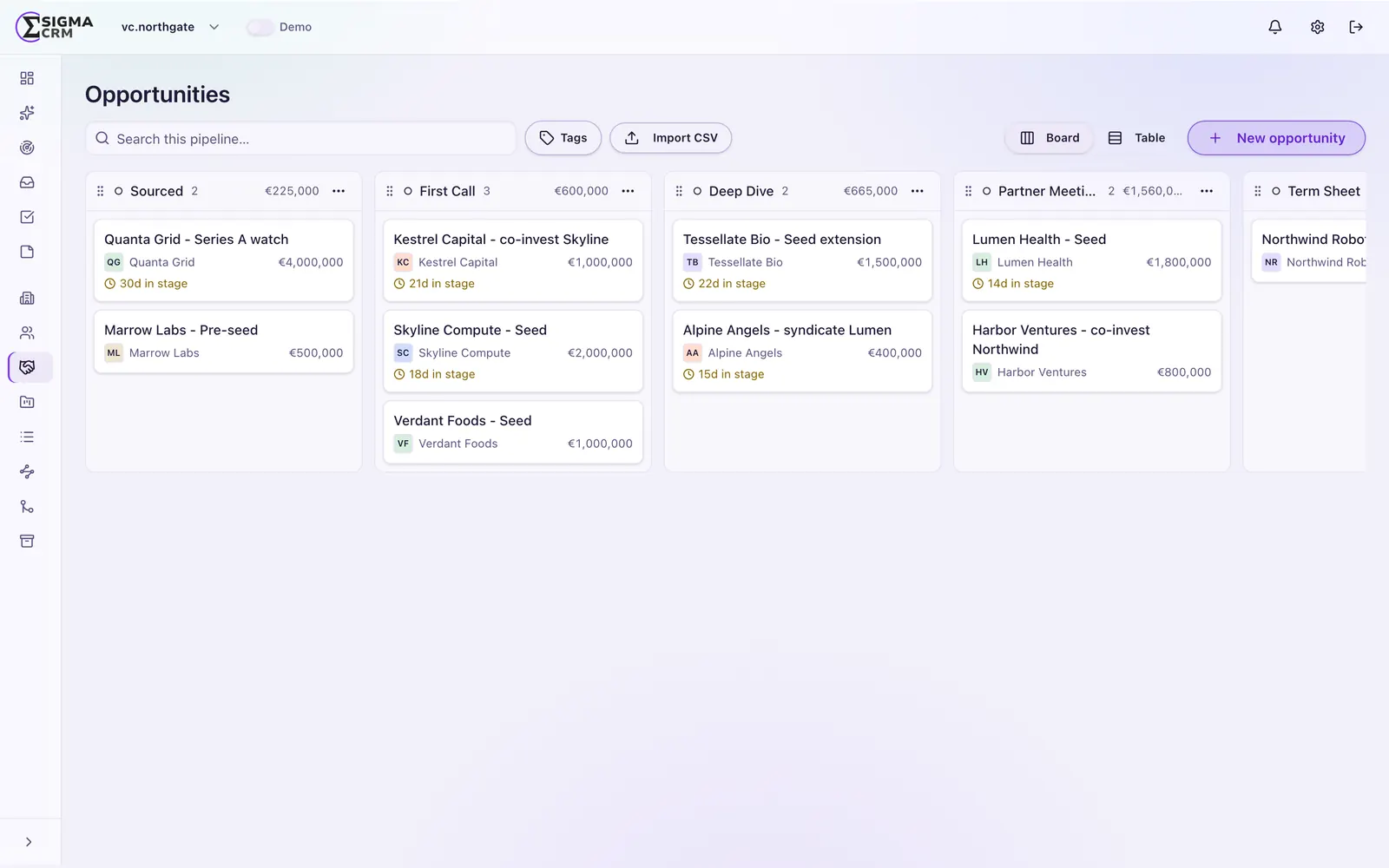
What it does
A full CRM with AI built into every part.
Sigma CRM covers the daily work of a revenue team. It is an AI CRM in the literal sense: each of these capabilities is also a tool that an agent can call.
Signals and scoring
Capture buying and intent signals on organizations and contacts. Fit, engagement and signal scores show who to talk to next.
Organizations, contacts and deals
Contacts can belong to many organizations. Deals move through pipelines with stages you define.
Lists and views
Static lists, dynamic segments, list-specific fields and saved views for every team.
Unified inbox and sequencer
Email threads land on the right record. A native sequencer runs your outreach, with unsubscribe handling built in.
Enrichment and relationship intelligence
Enrich organizations and contacts. Email and calendar interactions show how strong each relationship is.
Workflows, import and roles
Triggers and actions inside the CRM, CSV and Excel import and export for every object, and roles that control who sees what.
Why AI-native
AI is not a chat window on top. It is a way in.
In most CRMs, AI sits on top of the product. In Sigma CRM, one tool registry backs the user interface, the MCP server, the API and the built-in agent. A tool added for one caller is available to all of them. That is what makes it a CRM with AI agents rather than a CRM with an AI feature. Read the comparison with AI add-ons.
- One tool registry for UI, MCP, API and agents
- Signal observer agents that watch for buying signals
- Bring your own model key and choose the model per agent
- Sammy, the built-in agent, sees exactly what the member sees
- Every write records whether a person, an agent or an API key made it
Want to see it on your own data model?
How Claude connects
Claude, the MCP server and Sigma CRM.
A tool call goes from Claude through the MCP server, with key, scopes and audit log, to the CRM tools. The result flows back. Details on the MCP server page.
A look inside
Sigma CRM in practice.
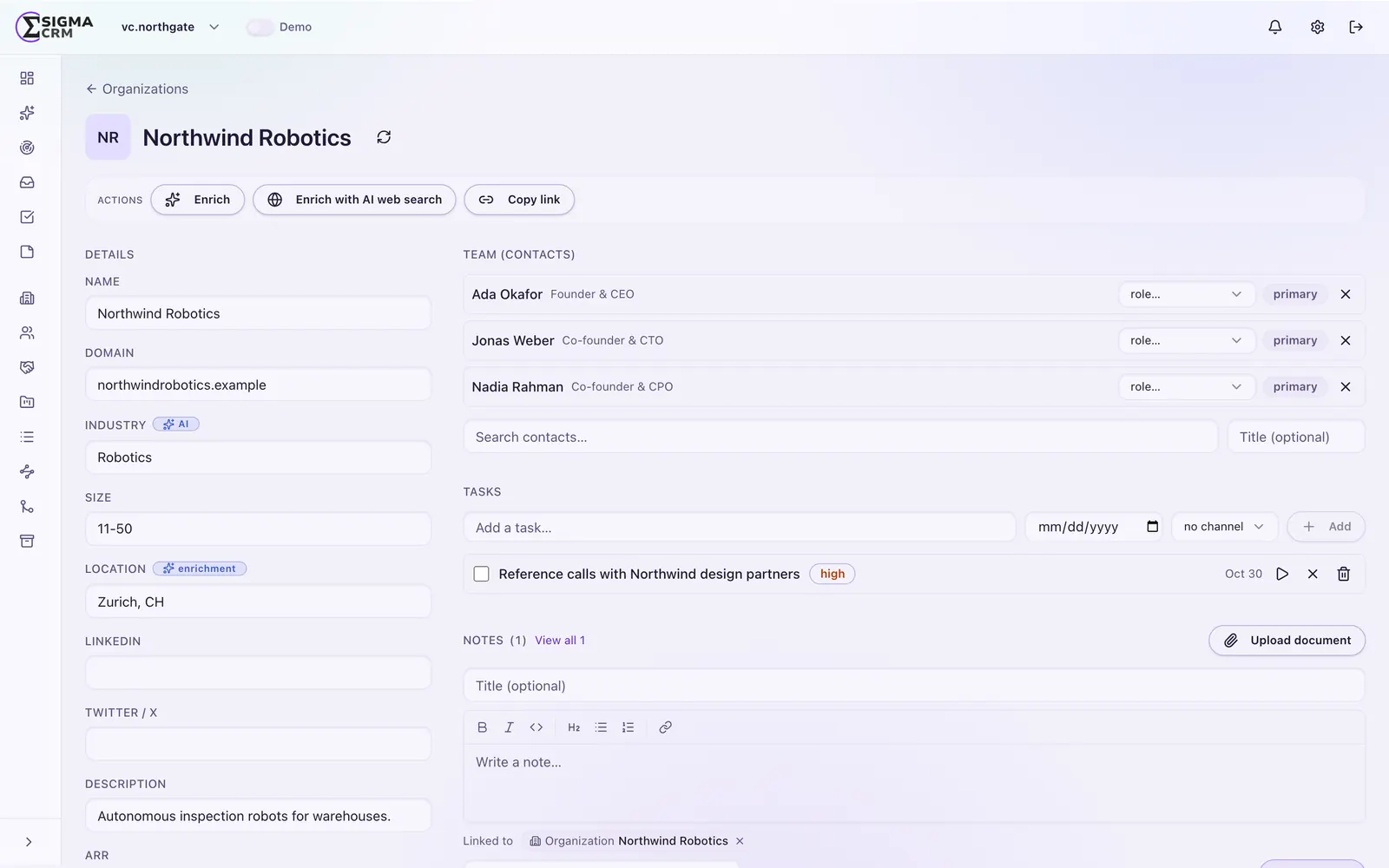
Everything about an account on one page
Contacts, deals, signals, notes, tasks and the full timeline sit on the record, so nobody has to search five tools before a call.
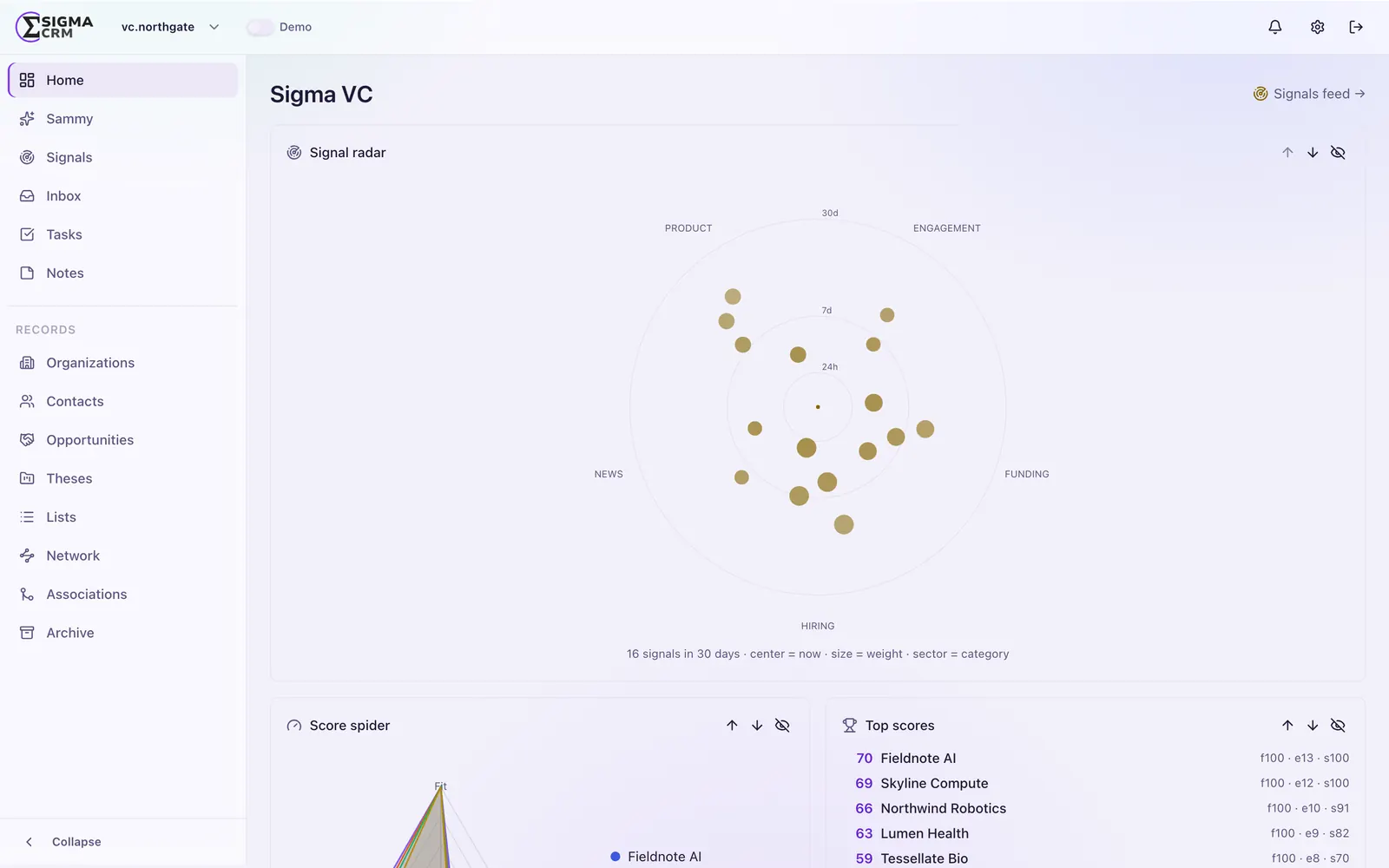
Signals that tell you when to act
Signals arrive from observer agents, from Claude Code over MCP or from your team. Scoring ranks them, so the strongest accounts come first.
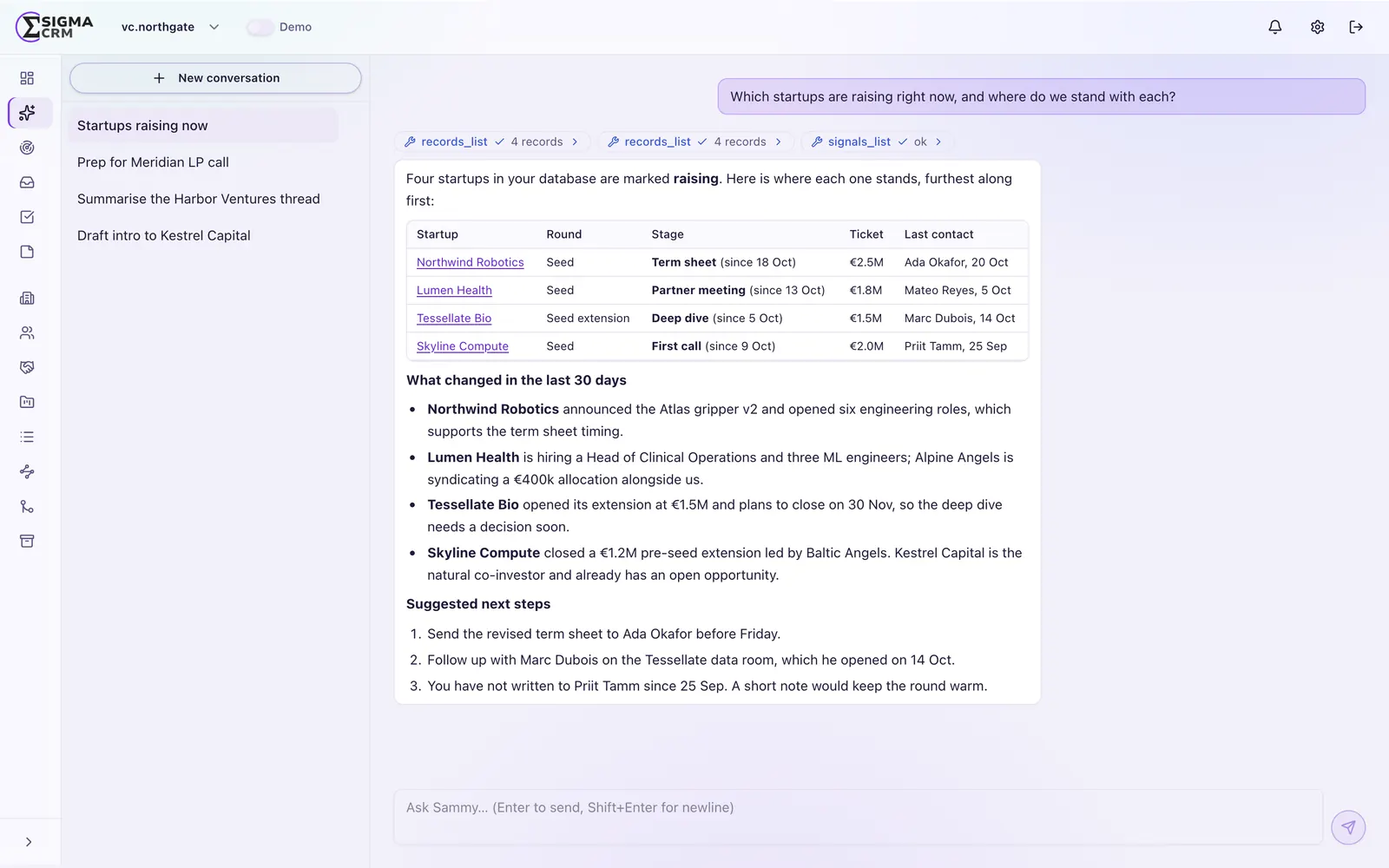
Ask Sammy instead of building a report
The built-in agent works with the same tools as the interface and only sees what you are allowed to see.
Explore Sigma CRM
Features
Custom fields, a flexible data model, views, workflows and roles.
FeaturesAI & MCP
How AI works in Sigma CRM: agents, observers, Sammy and model choice.
AI & MCPMCP server
All use cases, setup in 3 steps and the tool list for Claude and other MCP clients.
MCP serverDeployment
Run it on your own servers or in our cloud.
DeploymentPricing
Cloud subscription or Enterprise perpetual license.
PricingGuides
MCP servers, Claude, AI sales agents, implementation, migration and cost.
GuidesFrequently asked questions
What is an AI-native CRM?
An AI-native CRM is built so that AI agents can do everything a person can do in it. In Sigma CRM, every capability is a tool that works the same in the interface, over MCP and through the API.
What can AI agents do in Sigma CRM?
Agents can search and update records, create signals, manage lists and pipelines, enroll contacts in sequences and more. They use the same permissions and the same audit trail as people.
Does Sigma CRM work with Claude?
Yes. Sigma CRM has an MCP server, so Claude Code and other MCP clients can work with your CRM data. See Claude CRM for typical routines.
Can we run Sigma CRM on our own servers?
Yes. Sigma CRM runs on-premise on your own infrastructure or in our cloud. See deployment and the technical self-hosted CRM guide.
How is Sigma CRM licensed?
In the cloud, Sigma CRM is available as a subscription. The Enterprise license is a perpetual license and is available for on-premise and cloud.
See if Sigma CRM fits your sales process.
Talk to Dr. Marcel Müller, Founder & COO of JadenX, about your pipeline, your data and where Sigma CRM should run.