
Claude CRM

A CRM that Claude can actually work in.

Sigma CRM gives Claude Code the same tools your team uses in the interface. Claude can search accounts, update deals, log signals and run routines, with an API key that is limited to one workspace and an audit trail for every change.

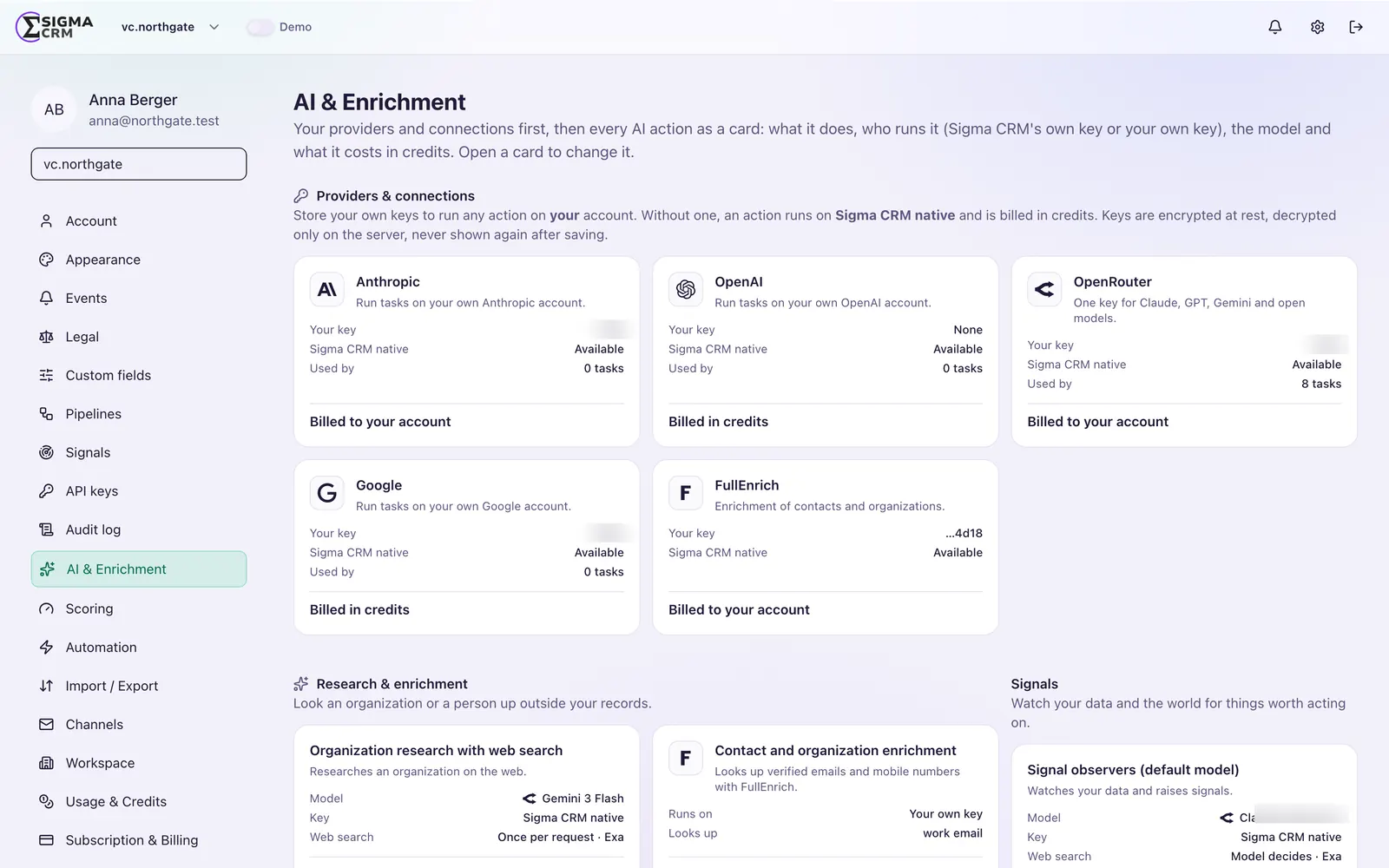
Sigma CRM AI settings: bring your own key for model providers, per-action model choice and billing in credits

Why Claude needs a real CRM

Claude is only as useful as the tools it can call.

Pasting CRM exports into a chat does not scale, and it leaves no record of what changed. A Claude CRM setup works the other way round: Claude calls the CRM directly through the Model Context Protocol, reads what it needs and writes back through the same rules as a person.

In Sigma CRM, every capability in the interface is also a tool on the MCP server. There is no separate, reduced AI API that falls behind the product.

How it connects

Claude, the MCP server and your CRM.

Claude sends a tool call, the MCP server checks the key and scopes and records the call, Sigma CRM runs the tool and the result flows back.

How Claude connects to Sigma CRMClaude Code or Claude Desktop sends a tool call to the Sigma CRM MCP server. The server checks the API key or connection, applies the scoped permissions and writes an audit log entry. It then runs the matching Sigma CRM tool on records, signals, pipelines or sequences, and the result flows back to Claude. tool callresult ClaudeCode or Desktop MCP serverAPI keyScoped accessAudit log Sigma CRMRecordsSignalsPipelinesSequences
Claude Code or Claude Desktop sends a tool call to the Sigma CRM MCP server. The server checks the API key or connection, applies the scoped permissions and writes an audit log entry. It then runs the matching Sigma CRM tool on records, signals, pipelines or sequences, and the result flows back to Claude.

Want to see a Claude Code routine on a real pipeline?

Use cases

Three things teams ask Claude first.

Each shows the prompt, what happens in Sigma CRM and the result.

Research a target account and log the signals

Research acme.example. What do they do, and what changed in the last weeks? Log anything that looks like a buying signal.

What happens in Sigma CRM
resolve_subject finds the account by domain or creates it. Claude researches on its own model access and saves what it found with records_store_research. Each buying signal goes in through signals_create with a stable external ID, so a rerun never duplicates it.
Result
An account record with saved research and dated signals on its timeline, ranked by your signal score.
See account research in a demo

Daily pipeline review with next steps

Review my open deals. Which ones have no recent activity or no next step? Suggest the next step for each.

What happens in Sigma CRM
deals_for_pipeline lists the live deals with their accounts. activities_list and tasks_board show recent activity and open tasks. Claude logs agreed next steps with activities_log or notes_create.
Result
A short review of deals at risk, with a proposed next step on each record.
See a pipeline review in a demo

Run signal observers on your own Claude Code

Run my Sigma CRM observers and report what you find.

What happens in Sigma CRM
signal_observers_list returns the observers that are set to run externally, and observer_list_items the records each one watches. Claude Code runs them on its own model access and reports through signal_observer_runs_report.
Result
Signals in the same feed and on the same timelines as platform runs, without using platform AI credits for the model.
See observers on Claude Code

See all use cases, the setup and the tool list on the Sigma CRM MCP server page.

What Claude can do

Typical jobs for Claude in Sigma CRM.

Morning scan

A Claude Code routine checks new signals and lists the accounts that need attention today.

Account research

Claude reads the record, the timeline and the signals of an organization and writes a short briefing before a call.

Pipeline hygiene

Claude finds deals without a next step or with stale stages and proposes the update.

Signal capture

Claude logs a buying signal it found on the right organization or contact, with the source.

List building

Claude builds a list or a segment from a plain-language description.

Observer runner

Your Claude Code pulls the definitions of signal observers, runs them on your own model access and reports the results back.

Setup

Connect Claude Code in four steps.

  1. 1

    Create a workspace API key

    An admin creates the key in the Sigma CRM settings.

  2. 2

    Add the MCP server

    Register the Sigma CRM MCP server in Claude Code with that key.

  3. 3

    Start with one routine

    For example the morning scan. Check the results on the records.

  4. 4

    Add observers

    Move recurring research into signal observers that Claude Code runs for you.

Control

Claude works inside your rules.

An API key belongs to one workspace, not to a person. It reaches shared lists and segments only, never someone's personal ones, and it fails closed. Every write that Claude makes is tagged as an MCP write, so you can see it in the history.

  • Workspace-scoped API keys with rate limits
  • Shared data only, personal lists stay personal
  • Every write tagged by source
  • Idempotent writes, so a retried call does not create duplicates

Frequently asked questions

What is a Claude CRM?

A Claude CRM is a CRM that Claude can work in directly, usually through the Model Context Protocol. Sigma CRM offers every capability as an MCP tool, so Claude Code can read and change CRM data with defined rules.

Does Sigma CRM only work with Claude?

No. Any MCP client can connect to the Sigma CRM MCP server, and signal observers let you choose the provider and model. We describe Claude Code here because many teams use it.

Can Claude change data without anyone noticing?

No. Every write over MCP is tagged with its source and shows up in the history of the record.

Do we need the cloud version to use Claude?

No. The MCP server is part of Sigma CRM in the cloud and on-premise.

What does it cost to use Claude with Sigma CRM?

Claude usage is billed by your model provider under your own account. Sigma CRM licensing is on the pricing page.

See Claude working in Sigma CRM.

We show you a Claude Code routine on a real pipeline and how to set it up for your team.