
AI and MCP
The MCP CRM: every feature is a tool your agents can call.
Sigma CRM ships its own MCP server. Claude Code and any other MCP client get the same tools as the interface, with the same rules for credits and permissions. That makes Sigma CRM an agentic CRM where people and agents work side by side.
One registry, every caller
The same tools for the UI, MCP, the API and agents.
Sigma CRM has one tool registry. The user interface, external MCP clients, the REST API and the built-in agent Sammy all call it. A tool added for one is there for all, and every write is tagged with its source for the audit trail.
- More than 130 tools across records, lists, pipelines, outreach and settings
- REST API with the same behaviour as the interface
- Per-workspace API keys with rate limits
- Cursor pagination and idempotent writes
- Every write tagged as UI, MCP, agent or observer
How Claude connects
From a prompt to a change in the CRM.
Claude sends a tool call to the MCP server. The server checks the key, applies the scopes and records the call, runs the Sigma CRM tool and returns the result. Setup, all use cases and the tool list are on the MCP server page.
Want to watch an MCP client work in the CRM?
What agents can do
Agentic CRM features.
MCP server
Connect Claude Code or another MCP client and work with organizations, contacts, deals, lists, signals and sequences in plain language.
Claude Code routines
Run recurring routines from Claude Code, such as a morning scan of new signals and the accounts that need attention.
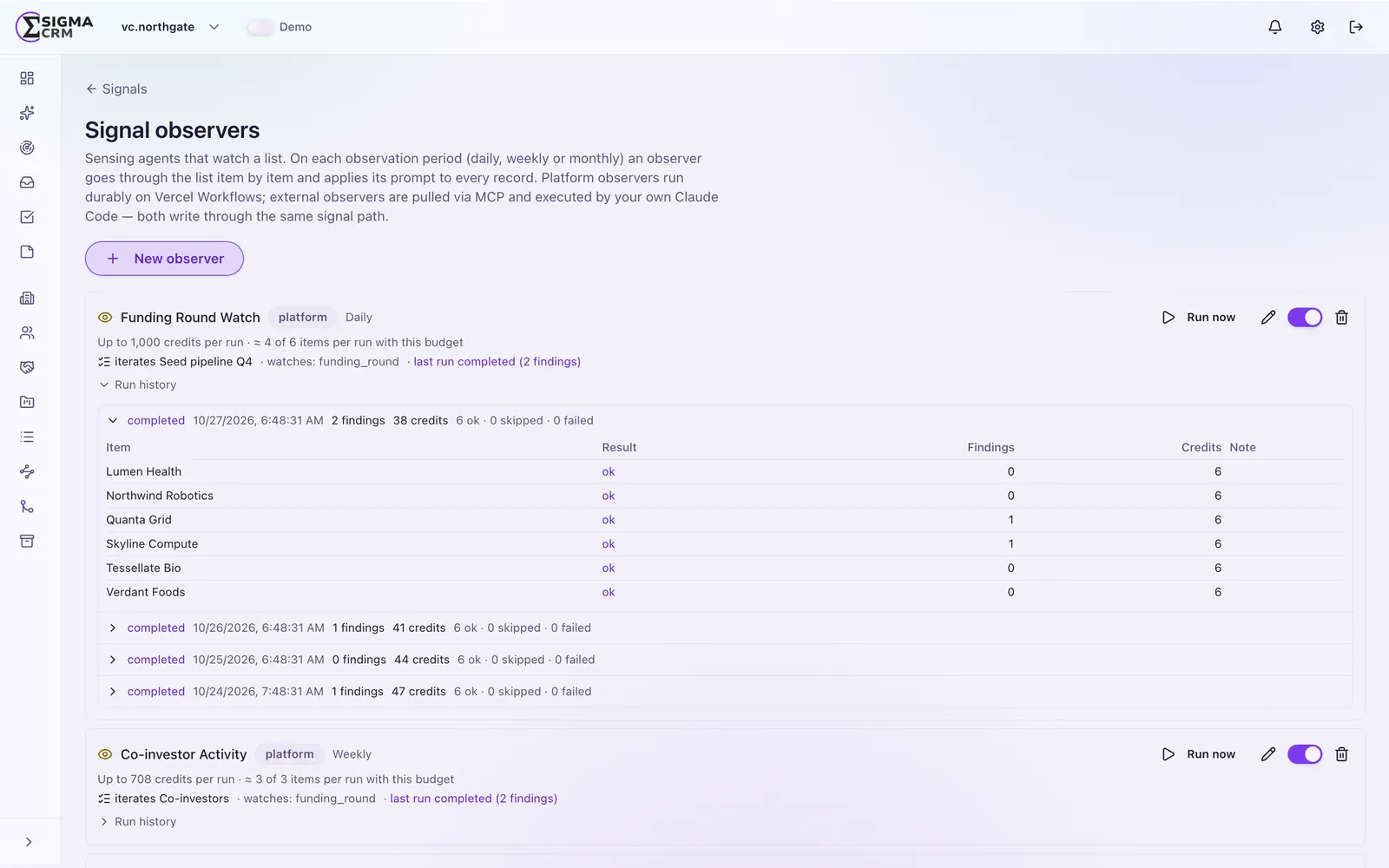
Signal observer agents
Agents with tools that watch for buying signals. Use the predefined catalogue or define your own.
Bring your own key
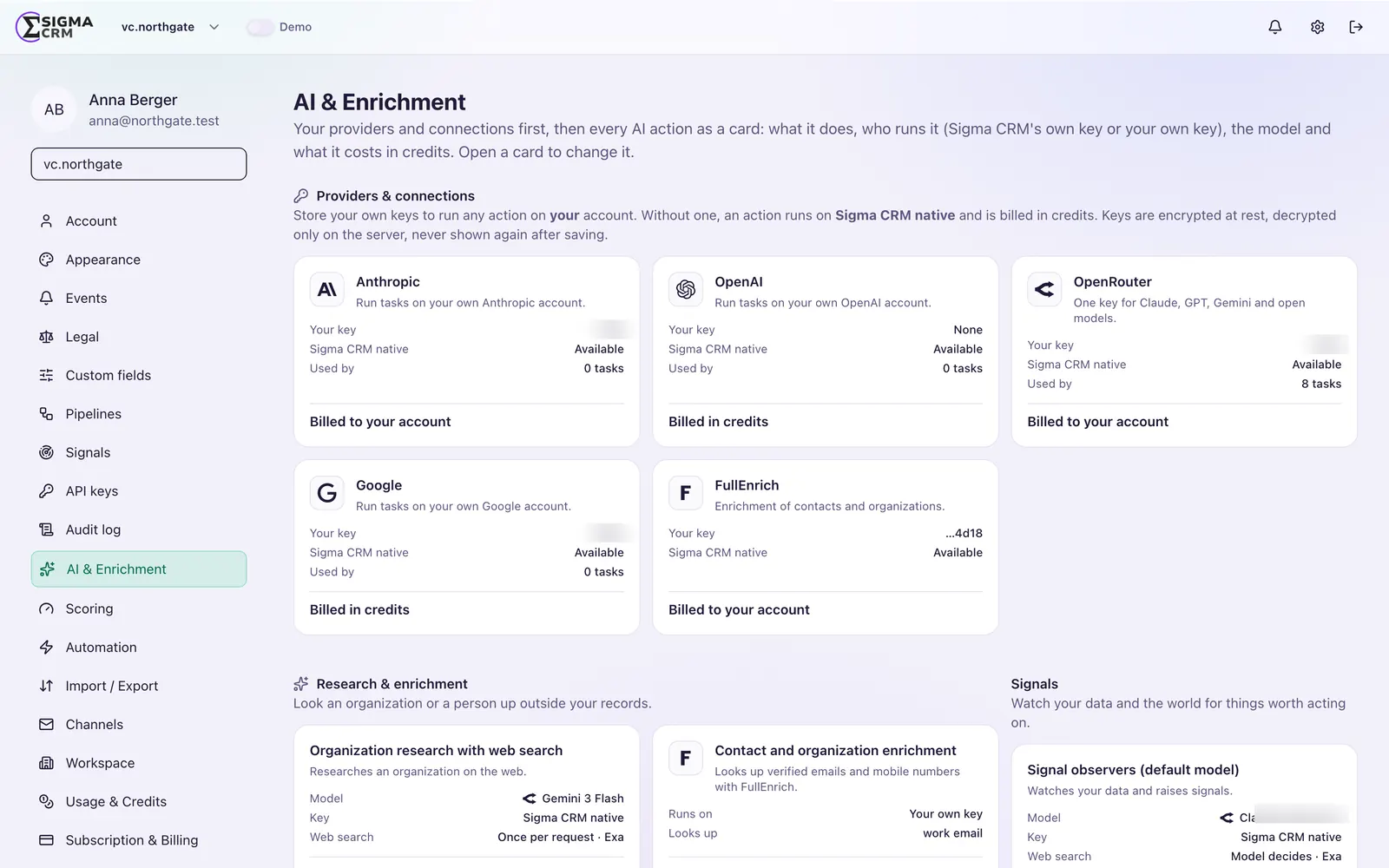
Choose the provider and the model for each observer. Use your own key or the platform key.
Run observers your way
Observers run on the platform, or your own Claude Code pulls their definitions, runs them on its own model access and reports the results.
Sammy, the built-in agent
Ask questions and give instructions inside the CRM. Sammy sees exactly what the member who asks sees.
Getting started
From API key to working agent in four steps.
- 1
Create an API key
An admin creates a key for the workspace in the settings.
- 2
Connect your MCP client
Add the Sigma CRM MCP server to Claude Code or another MCP client.
- 3
Set up routines and observers
Pick observers from the catalogue or define your own, and choose the model for each.
- 4
Review in the CRM
Signals, updates and drafts show up on the records, with the source of every change.
A look inside
Agents at work.
Observers with their own model
Each observer has its instructions, tools, provider and model, so you decide what runs where.
Explore Sigma CRM
Features
Custom fields, a flexible data model, views, workflows and roles.
FeaturesMCP server
All use cases, setup in 3 steps and the tool list for Claude and other MCP clients.
MCP serverDeployment
Run it on your own servers or in our cloud.
DeploymentPricing
Cloud subscription or Enterprise perpetual license.
PricingGuides
MCP servers, Claude, AI sales agents, implementation, migration and cost.
GuidesFrequently asked questions
What is an MCP CRM?
An MCP CRM exposes its functions through the Model Context Protocol, so AI agents such as Claude Code can read and change CRM data with defined tools. Sigma CRM offers every capability over its MCP server.
Does Sigma CRM work with Claude Code?
Yes. You connect Claude Code to the Sigma CRM MCP server with a workspace API key. Claude Code can then run routines and signal observers against your CRM. More on Claude CRM.
Can we use other models than Claude?
Yes. Signal observers let you choose the provider and model per observer, with your own key if you want. Any MCP client can connect to the MCP server.
Can an agent see more than it should?
No. Sammy acts with the rights of the member who uses it. An API key is scoped to one workspace and only reaches shared lists and segments, never someone's personal ones.
How is AI usage billed?
AI usage is billed in credits. If you bring your own key, your provider bills model usage directly to you. Details are on the pricing page.
Let agents work in your CRM, under your rules.
We show you the MCP server, Claude Code routines and signal observers on a real pipeline.