
Sigma CRM features
A customizable CRM that fits your process.
Most CRMs make you adapt your process to their data model. Sigma CRM works the other way round: you add the fields, lists, views, workflows and agents your team needs, and every one of them is available to people and agents alike.
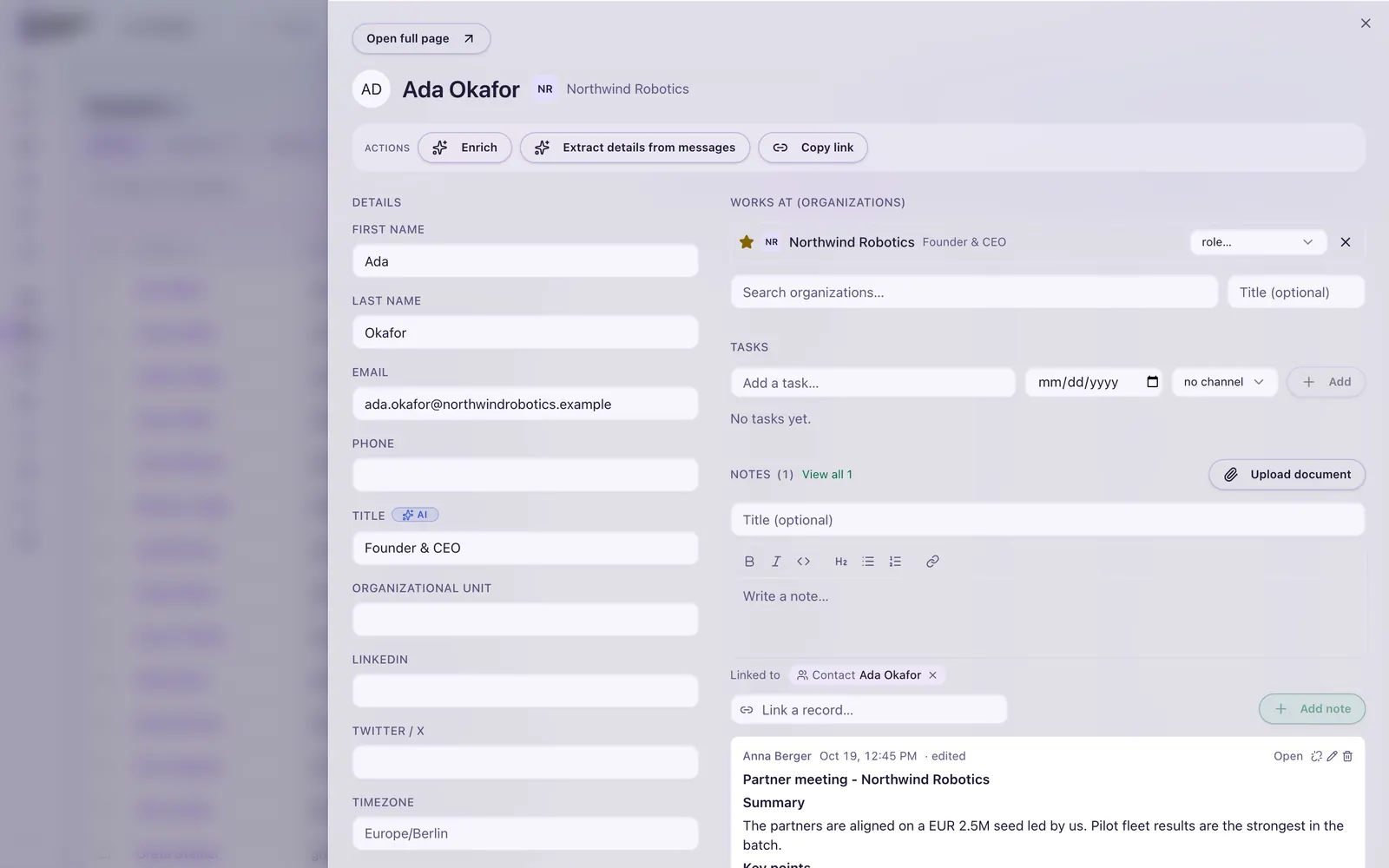
Extensibility
Shape the CRM around your data.
Sigma CRM combines typed core objects with a custom field layer per workspace. You get structure where it helps and freedom where you need it.
Custom fields and attributes
Add your own attributes to organizations, contacts, deals and other objects, per workspace, without a developer.
Flexible data model
Contacts can belong to many organizations. Activities, notes, tasks and signals attach to any record, and records can link to each other.
Your own AI agents
Define your own signal observer agents next to the predefined ones, with their own instructions, tools and model.
Saved views
Save the filters, columns and sorting each team needs, and share them or keep them personal.
Lists and segments
Static lists for hand-picked records, dynamic segments that update themselves, and fields that only exist on one list.
Workflows
Build automations from triggers and actions inside the CRM, for example when a deal changes stage or a signal arrives.
All capabilities
Everything a revenue team works with.
Each capability works the same in the interface, over MCP and through the API.
Organizations and contacts
Deduplication and merge, ownership and many-to-many affiliations.
Deals and pipelines
Pipelines and stages you define, with stage templates and deal hygiene.
Signals and scoring
Fit, engagement and signal scores in one place.
Unified inbox
Connected channels, threaded messages and replies on the right record.
Sequencer
Native outreach sequences with compliance and unsubscribe handling.
Enrichment
Enrich organizations and contacts wherever you work.
Relationship intelligence
Email and calendar interactions, relationship strength and warm introductions.
Import and export
CSV and Excel import and export for every object.
Roles and permissions
Roles, record ownership and visibility, with personal and shared lists.
Want to see your fields, lists and pipeline in Sigma CRM?
A look inside
Built for daily use.
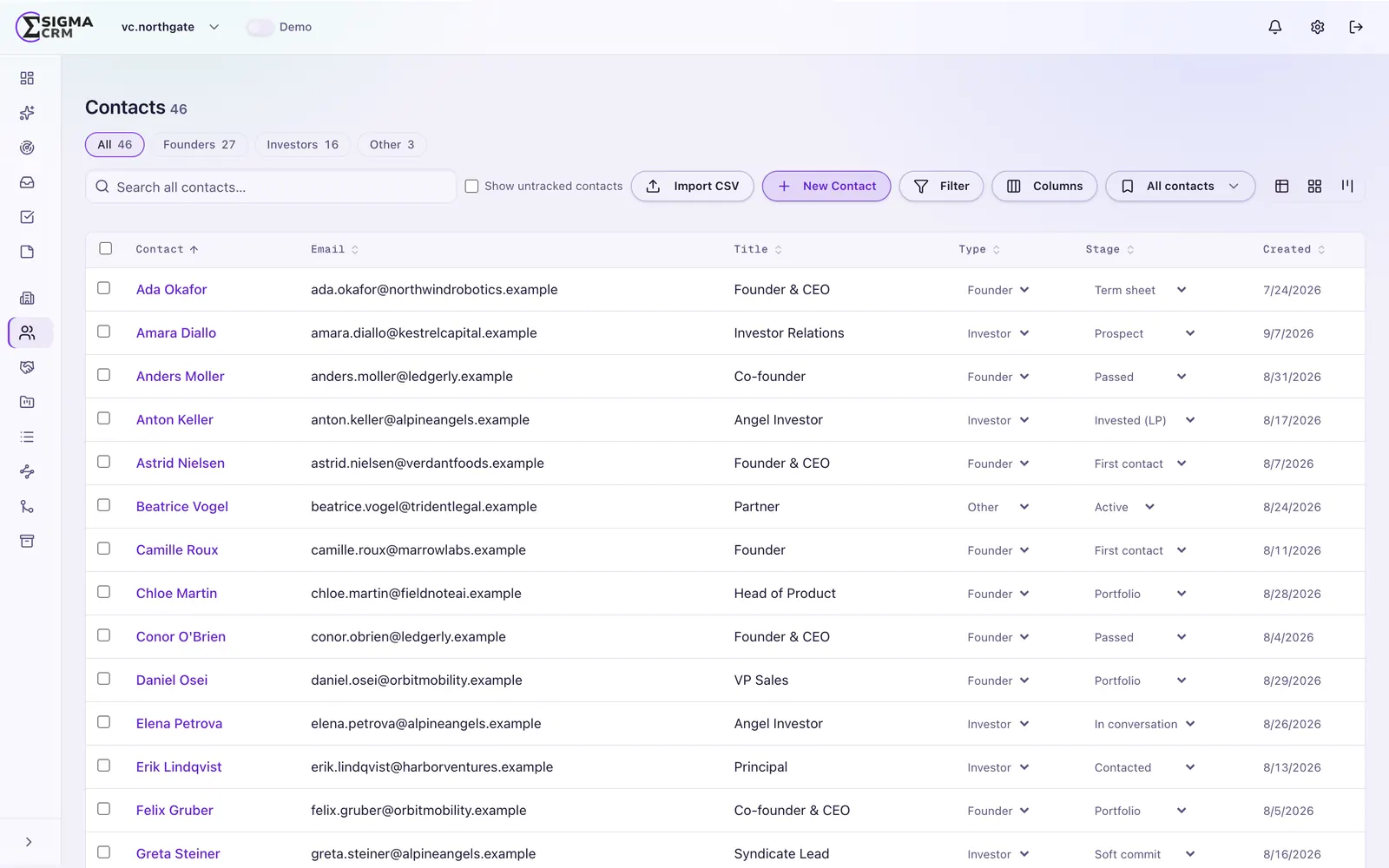
Views that match how each team works
Sales, success and leadership look at the same data in different ways. Saved views keep those ways one click away.
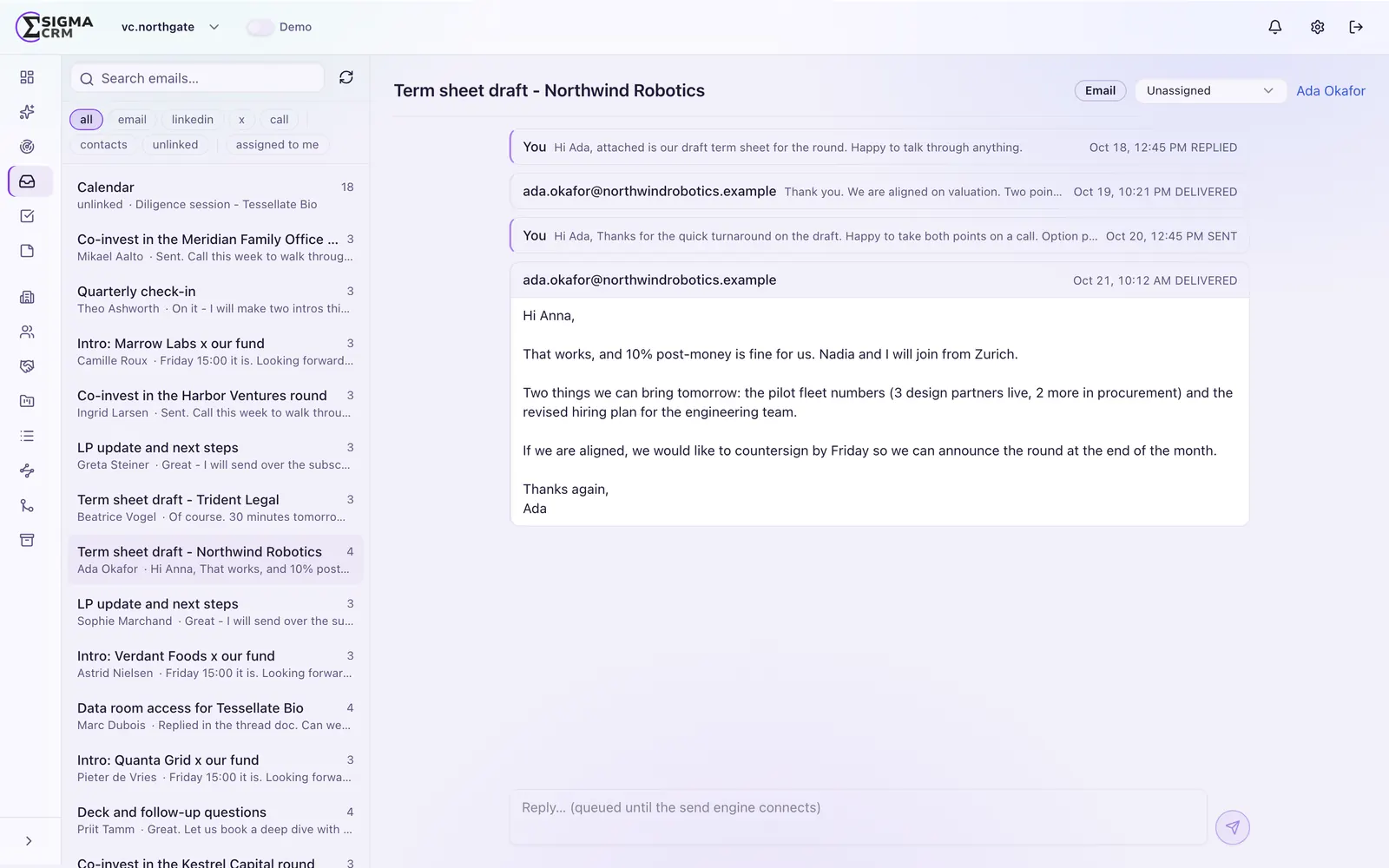
One inbox, linked to your records
Replies and threads land on the organization, contact and deal they belong to.
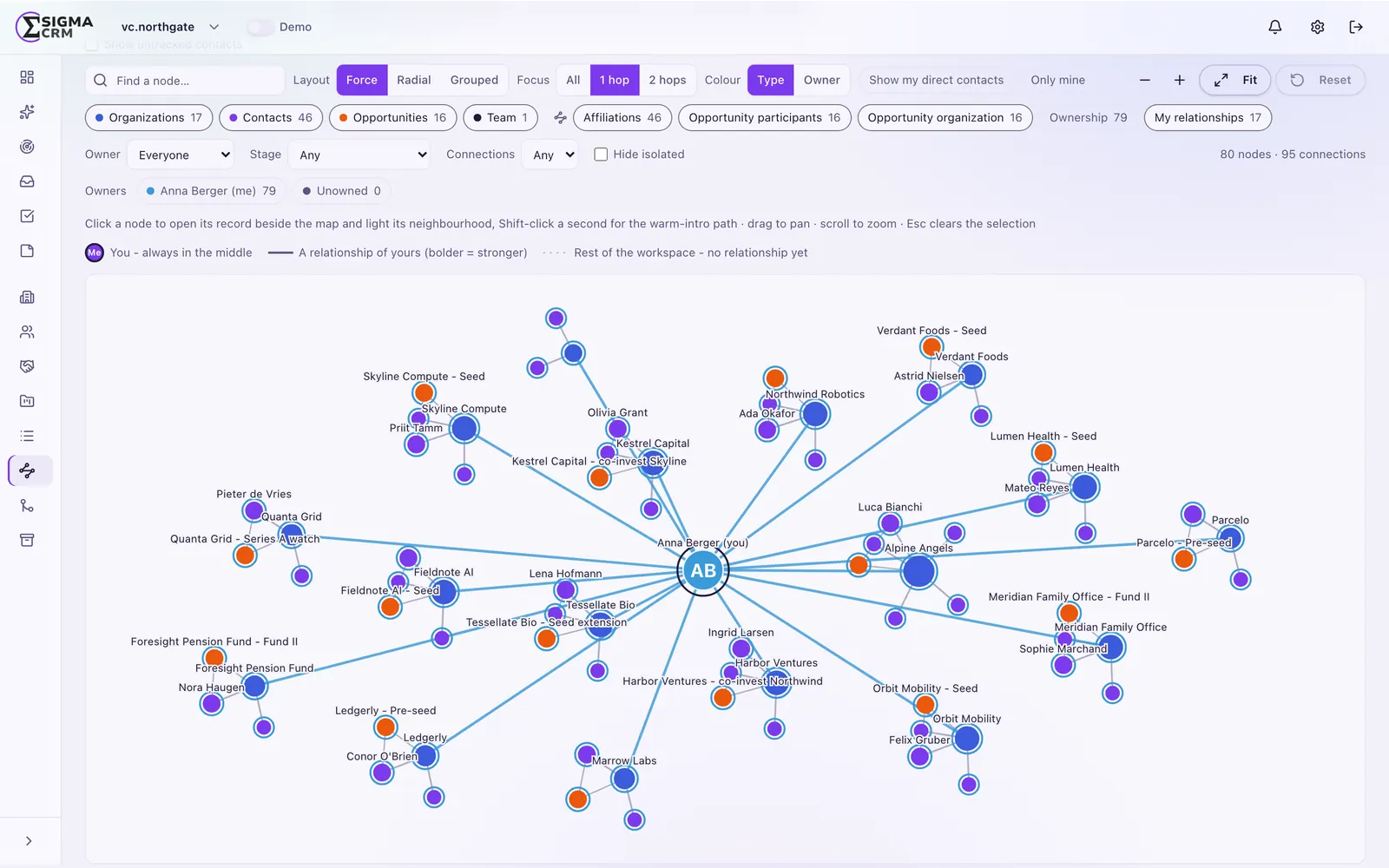
Relationship intelligence you can see
The network graph shows who knows whom and the warm-intro path to an account, built from email and calendar interactions.
Explore Sigma CRM
AI & MCP
How AI works in Sigma CRM: agents, observers, Sammy and model choice.
AI & MCPMCP server
All use cases, setup in 3 steps and the tool list for Claude and other MCP clients.
MCP serverDeployment
Run it on your own servers or in our cloud.
DeploymentPricing
Cloud subscription or Enterprise perpetual license.
PricingGuides
MCP servers, Claude, AI sales agents, implementation, migration and cost.
GuidesFrequently asked questions
What makes Sigma CRM a customizable CRM?
You can add custom fields and attributes, build lists, segments and saved views, automate with workflows and define your own AI agents. All of it without changing code.
Can we add our own fields?
Yes. Each workspace has its own custom field layer on top of the core objects, so you can store the attributes that matter to your business.
Can custom fields be used by AI agents?
Yes. Agents use the same tools as the interface, so they read and write your custom fields like any other field.
Can we import data from our current CRM?
Yes. Sigma CRM imports and exports CSV and Excel files for every object. We help you plan the migration.
Who can see which records?
Roles, record ownership and visibility settings control access. Lists and views can be personal or shared.
Tell us how your team sells.
We show you how Sigma CRM maps to your process, your fields and your pipeline.